

I was in a procurement meeting last year when someone asked the question. You know the one. Every agency owner who works in government has heard it.
"Why can't we just use WordPress?"
It's a completely reasonable question. I'd have asked it too. WordPress runs something like 43% of the web. Your cousin built a site on it over a weekend. Every second developer on LinkedIn has "WordPress" in their profile. It's free. It's proven. Why complicate things?
I've been answering that question for about fifteen years now, and I still don't have a perfect soundbite for it. (You'd think after twenty years running a web agency I'd have prepared one. Apparently not.) The honest answer is: it depends. And I know that's the most annoying thing anyone can say in a procurement meeting. But the reason it depends is that government requirements fundamentally change the equation. What works for a restaurant website or a startup blog becomes a very different conversation when you're building something that has to pass IRAP assessment, meet WCAG 2.2 AA, store citizen data in Australian data centres, and survive a security audit every twelve months.
This isn't a hit piece on WordPress. We've built WordPress sites. Some of them are still running. (A couple of them probably shouldn't be, but that's a conversation for another day.) This is about fit for purpose. Which CMS matches what government actually needs, not what a brochure says it can do.
The Government Requirements That Change Everything
Before we even talk about platforms, let's talk about what makes government different. Because if you're comparing CMS platforms for a small business website, most of this article is irrelevant. Go with whatever your developer knows best. Seriously.
But government procurement has a checklist that would make most web developers break out in a cold sweat. Here's the short version of what's usually non-negotiable:
Security hardening to a level that satisfies the Information Security Manual (ISM) and, depending on the data classification, IRAP assessment. WCAG 2.2 Level AA compliance, which became mandatory for all Commonwealth digital services from 1 January 2026 (DTA Digital Service Standard, 2025). Australian data sovereignty, meaning the content and citizen data stays in Australian data centres. Audit trails on content changes, because when something goes wrong on a government website, someone needs to know who changed what and when. Enterprise integration with Active Directory, Azure AD (now Entra ID), single sign-on, and often M365. And multi-site management, because government agencies rarely have just one website.
These aren't nice-to-haves. They're line items on a procurement evaluation. Miss one and you're out.
Now, some people will say "what about GovCMS?" It's a Drupal-based platform managed by the Department of Finance, hosted on AWS in Australia, and free for eligible federal entities (GovCMS, 2026). Hundreds of government websites run on it. For federal agencies that fit its mould, it's the path of least resistance.
But GovCMS has its own set of trade-offs that don't get talked about much. "Free hosting" doesn't mean free to operate. You still need Drupal developers (who cost roughly the same as .NET developers), you're locked into a restricted module list in the SaaS tier that limits what you can actually build, and the content editing experience in Drupal is widely regarded as less intuitive than WordPress or Umbraco. The Drupal 7 end-of-life in January 2025 forced hundreds of government sites to be completely rebuilt, not upgraded, at each agency's own expense. That's a platform risk that doesn't show up in the "it's free" pitch. And it's AWS-only, so if your organisation runs Microsoft infrastructure (which most government-adjacent organisations in Australia do), you're introducing a second cloud platform just for your website.
This article isn't about GovCMS though. The market we're talking about is what I call "adjacent government": the over 500 local councils in Australia, the roughly 130 health districts and networks, 43 universities, hundreds of statutory authorities, government-owned corporations (think Sydney Water, Transport Asset Holding Entity), and thousands of government-funded NFPs. These organisations have full CMS choice. They're the ones asking "why not WordPress?"

SharePoint's Quiet Accessibility Upgrade: What Government Teams Need to Know Before Their Next Audit
The AI tools to fix your most common DDA audit failures have been sitting inside Microsoft 365 for months. Most government content teams don't know...
Read full articleThe Security Conversation Nobody Wants to Have
Here's the thing about WordPress security. The core platform is reasonably secure. WordPress HQ takes security seriously, patches come out regularly, and the core codebase gets genuine attention from experienced developers.
The problem isn't the core. The problem is everything bolted onto it.
WordPress has over 60,000 plugins in its directory. Plugins undergo basic policy review but not comprehensive security auditing before publication (WordPress.org Plugin Directory, 2026). Anyone can publish a plugin. Some of those plugins are brilliant. Some of them haven't been updated since 2019. And every single one of them is a potential entry point for an attacker who knows that government websites are higher-value targets than the average food blog.
WPScan, which is now part of Automattic's own security team, has tracked over 40,000 WordPress vulnerabilities across plugins, themes, and core combined (WPScan Vulnerability Database, 2026). That number grows every week. And because WordPress powers 43% of the web, it's the single most targeted CMS on the planet. Automated attack tools don't need to know your specific site. They just spray known WordPress exploits across millions of IP addresses and see what sticks.
Now, let me be fair here. A well-maintained WordPress installation with a small number of carefully vetted plugins, automatic updates, and managed hosting is secure enough for many purposes. We've run WordPress sites for clients without incident. (We've also inherited WordPress sites that made us want to lie down in a dark room, but that's selection bias.)
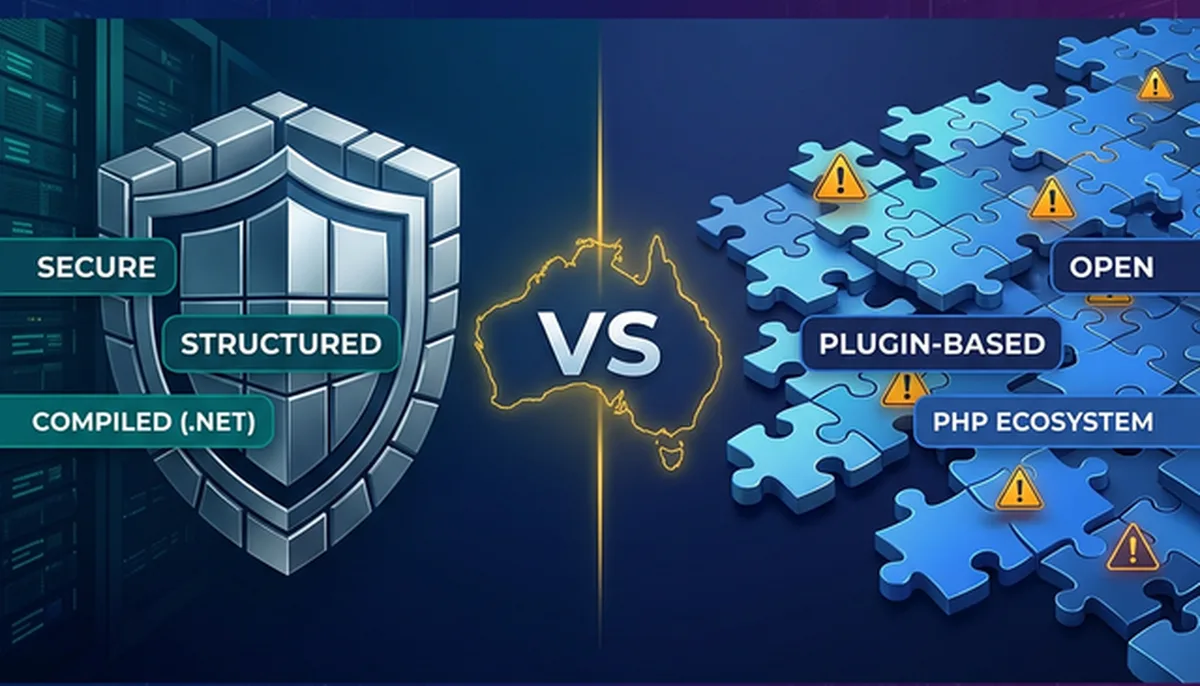
The difference with Umbraco is architectural. Umbraco runs on .NET, a compiled runtime. No public plugin directory with 60,000 unvetted extensions. Third-party packages come through NuGet, where packages are signed and compiled. Database access goes through Entity Framework ORM rather than direct SQL queries. The attack surface is structurally smaller, not because Umbraco developers are smarter than WordPress developers (they're not, some of my favourite people write PHP), but because the architecture doesn't expose the same categories of risk.
Umbraco has a fraction of the CVEs that the WordPress plugin world accumulates. Partly that's market share (fewer eyeballs, fewer attackers). But it's also because compiled code and tighter package management create fewer opportunities for the kinds of vulnerabilities that plague WordPress plugins.
Image could not be loaded: /images/articles/umbraco-vs-wordpress-government-websites-2026/wpvip-fedramp.jpg
WordPress VIP FedRAMP compliance illustration showing enterprise government security certification
What about WordPress VIP? This is the managed enterprise hosting platform from Automattic, and it genuinely addresses many of these security concerns. Code review, managed infrastructure, automatic patching, security monitoring. If you're going to run WordPress for government, VIP is the way to do it. But it costs $2,000 to $25,000+ per month (WordPress VIP, 2026). At that price point, WordPress's primary advantage (being cheap) has evaporated, and you're paying enterprise money for a platform that still carries the plugin dependency risk, just managed more carefully.
What about Azure for Umbraco? Umbraco runs natively on Azure App Service, which holds IRAP PROTECTED assessment for Australian government workloads (Microsoft Australia Trust Centre, 2026). Data stays in Australian data centres (Sydney and Melbourne regions). For organisations already on M365 and Azure AD, Umbraco slots into existing infrastructure without introducing a separate hosting environment. That matters when your IT team is already stretched thin managing twelve different platforms.
WCAG 2.2: Building Accessible vs Staying Accessible
Both platforms can produce WCAG 2.2 compliant output. I want to be really clear about that. Accessibility is primarily a front-end implementation concern, and a skilled developer can build accessible templates on WordPress, Umbraco, Drupal, or frankly anything that outputs HTML.
The interesting question isn't which platform can be accessible. It's which platform makes it harder to break accessibility once you've built it.
This is where Umbraco's Document Types come in. In Umbraco, you define structured content models. You can set up a "News Article" Document Type that requires an image with alt text, enforces heading hierarchy, and includes mandatory fields for accessible content patterns. If a content editor tries to publish without filling in the alt text field, Umbraco won't let them. It's baked into the content model, not bolted on as a plugin.
Image could not be loaded: /images/articles/umbraco-vs-wordpress-government-websites-2026/umbraco-property-editor.png
Umbraco CMS property editor configuration showing structured Document Type fields that enforce content quality
WordPress's block editor (Gutenberg) is flexible. That flexibility is both its strength and its WCAG weakness. Content editors can create whatever structure they want: skip heading levels, embed images without alt text, paste in inaccessible HTML from Word documents, add third-party blocks that haven't been tested with screen readers. You can train editors not to do these things. You can install accessibility checker plugins. But you can't prevent it structurally the way you can with Umbraco's Document Types.
Image could not be loaded: /images/articles/umbraco-vs-wordpress-government-websites-2026/wordpress-editor.png
WordPress block editor interface showing the flexible but unstructured content editing experience
And then there's the theme problem. A significant number of WordPress themes ship with accessibility issues baked in. The WordPress accessibility team does incredible volunteer work (genuinely, they're heroes), but the reality is that most themes in the directory haven't been audited for WCAG compliance. Government agencies that pick a visually appealing theme and assume it's accessible are setting themselves up for a painful audit.
We learned this one the hard way, actually. About eight years ago, we built a council website on WordPress using a premium theme that looked fantastic in the proposal presentation. Three months later, the accessibility audit came back and we spent more time fixing the theme's accessibility problems than we'd spent on the entire original build. (I'm not exaggerating. It was genuinely painful. And expensive. And entirely our fault for not auditing the theme properly before recommending it.)
That experience is a big part of why we moved toward Umbraco for government work. When you're responsible for a site that has to pass accessibility audits every year, you want a content model that enforces good patterns by default, not one that relies on every content editor remembering the rules every time they publish a page.

The $1M Overlay Mistake: Why AI Widgets Are Getting Businesses Sued
The FTC's $1 million fine against accessiBe exposes the legal and technical risks of accessibility overlays, with 25% of lawsuits now targeting...
Read full articleWhere WordPress Actually Wins (And I Mean It)
I'd be lying if I said Umbraco was better at everything. It's not. And any CMS comparison that doesn't acknowledge the other platform's genuine strengths isn't worth reading.
Developer availability. This is the big one. There are significantly more WordPress developers in Australia than Umbraco developers. If you need to find a replacement developer quickly, or you want to run a competitive tender and get more than two responses, WordPress gives you a much larger talent pool. We've lost projects because clients couldn't find a second Umbraco agency to provide a competitive quote. That's a real problem, and pretending it isn't would be dishonest.
Content editor familiarity. Almost everyone who's managed website content has used WordPress at some point. The learning curve is essentially zero. Umbraco's new Bellissima backoffice (shipped from Umbraco 14 onwards) is genuinely good, but "unfamiliar" means training costs and slower adoption.
Community and documentation. WordPress has the largest community of any CMS on the planet. Stack Overflow has answers for practically every WordPress question ever conceived. Umbraco's community is passionate and helpful, but it's smaller. When you hit a niche problem at 11pm, the odds of finding a blog post with the exact answer are better with WordPress.
Simple sites. If a government-funded NFP needs a five-page website with a news section and a contact form, WordPress is the sensible choice. Suggesting Umbraco for that project would be like recommending a semi-trailer for a trip to the shops. (Terrible analogy. But you get the point.)
API maturity. WordPress's REST API has been around longer and is more battle-tested than Umbraco's Content Delivery API (which only became built-in from Umbraco 12). For headless CMS implementations, WordPress has a head start in terms of community support and third-party integrations.
I've recommended WordPress to clients before. I'll do it again. The platform isn't the problem. The fit is what matters.
The Cost Question Everyone Asks
"But WordPress is free."
So is Umbraco. Both are open source. MIT licence for Umbraco, GPL for WordPress. Zero licensing cost for either.
The "WordPress is cheaper" argument usually comes from comparing build costs in isolation. And yes, on a pure hourly-rate basis, WordPress PHP developers generally charge less than Umbraco .NET developers. In Sydney, you might see $120 to $180 per hour for a senior WordPress developer versus $150 to $220 for a senior .NET/Umbraco developer. (These are rough figures. Don't quote me on them. Actually, don't quote me at all. I'm notoriously bad at estimating.)
But government doesn't procure for build cost. Government procures for lifecycle cost. And over a five-year contract, the cost picture shifts.
Hosting. A basic WordPress shared hosting plan costs $10 to $30 per month. But that's not what government uses. Government WordPress hosting means either WordPress VIP ($2,000 to $25,000+/month) or a carefully hardened dedicated server with managed security. Umbraco on Azure App Service runs $100 to $400 per month for a typical government site. The VIP pricing gap is substantial.
Maintenance. A typical WordPress government site might have 15 to 30 active plugins. Each one needs monitoring for updates, security patches, and compatibility with WordPress core updates. We've seen WordPress sites where a single core update broke three plugins and took a full day to sort out. Umbraco sites typically have 3 to 8 NuGet packages, and they're less prone to compatibility cascades because the .NET package world is more disciplined about versioning. (That sounds like a dig at PHP. It's not meant to be. It's just how the two worlds have evolved.)
Security incident response. This is the hidden one. If a WordPress plugin vulnerability is exploited, the response cost for a government site isn't just "update the plugin." It's incident reporting, forensic analysis, stakeholder communication, and potentially notifying the Australian Cyber Security Centre. A single incident can cost $20,000 to $100,000+ in staff time and external consulting before you even think about remediation. Umbraco's smaller attack surface makes these incidents less likely. Not impossible. Less likely.
Plugin licence renewals. Many of the "essential" WordPress plugins for government (WPML for multilingual, Yoast Premium for SEO, Gravity Forms for accessible forms, various security plugins) have annual licence fees. These add up. Umbraco has most of this functionality built in (multilingual support is native, SEO configuration is part of the Document Type) or available through one-off NuGet packages.
Over five years, for a medium-to-large government website, the total cost of ownership is often comparable. Sometimes Umbraco ends up cheaper. Sometimes WordPress does. It depends on the specifics. (There's that annoying "it depends" again. Sorry.)

Government AI Accessibility: How Australian Public Sector Agencies Can Lead Digital Transformation
Explains how Australian agencies can align AI services with new DTA accessibility standards while keeping citizen experience inclusive.
Read full articleWhat We Actually Tell Government Clients
After twenty years and something like 500 projects (I've lost exact count, which probably says something about our record-keeping), here's the framework we use when a government or government-adjacent client asks which CMS they should use.
Image could not be loaded: /images/articles/umbraco-vs-wordpress-government-websites-2026/umbraco-backoffice.jpg
Umbraco CMS backoffice interface showing the content management dashboard
If you're a federal agency: GovCMS exists and it's there for a reason. But check whether the SaaS tier's restrictions actually fit what you need, and factor in the real cost of Drupal development and the platform's AWS-only hosting before assuming "free" means cheap. If you're already running Azure and M365, adding a Drupal site on AWS just for your CMS might create more problems than it solves.
If you're a council, health district, or statutory authority running Microsoft infrastructure: Umbraco is the natural fit. Your team already knows Azure. Your staff are on M365. Your IT department speaks .NET. Umbraco plugs into that world without introducing a separate technology stack, a separate hosting environment, or a separate skill set. The security model aligns with what your ISM controls already expect.
If you need a simple campaign site with a short lifespan: WordPress is fine. Genuinely. If the site needs to live for six months, publish some content, and then be decommissioned, WordPress is fast to build and easy to maintain for a limited period. Don't over-engineer it.
If you need enterprise integration: Active Directory authentication, Azure AD single sign-on, M365 document embedding, Power Automate workflows, that's Umbraco's territory. You can make WordPress talk to all of these things, but it takes plugins and custom development that introduce complexity. Umbraco on .NET speaks the same language as the Microsoft stack natively.
If your main requirement is WCAG compliance and you don't have an existing technology preference: honestly, this is the hardest question. Both platforms can do it. The deciding factor is usually your team. .NET developers who want structured content enforcement? Umbraco. PHP developers willing to invest in editor training and accessibility plugin maintenance? WordPress. It's a people decision as much as a technology one.
The questions we ask before recommending anything: What's your hosting environment? What's your data classification? How many content editors? What's your accessibility compliance timeline? Do you have existing .NET or PHP capability? What's your five-year digital roadmap?
That last question matters more than people think. If you're just building a website, either platform works. If you're building something that will evolve over five years and need to pass annual security audits, the technology choice has consequences that don't show up in the build quote.
The Honest Assessment
I haven't tested every claim in this article against every possible configuration. I'm sure there are WordPress VIP deployments running in government that are secure, accessible, and well-maintained. I'm sure there are Umbraco sites out there with their own problems. (We've built a few of those ourselves. Nobody's perfect.)
What I can tell you is what we've seen over 500+ projects and twenty years of doing this. For the specific combination of requirements that Australian government and government-adjacent organisations typically need (security hardening, WCAG compliance, Australian data sovereignty, M365 integration, and long-term lifecycle management), Umbraco on Azure has been the best fit more often than not.
Not always. But more often than not.
If you're evaluating CMS platforms for a government project, we're happy to have that conversation. No vendor lock-in pitch. Just an honest look at what fits your requirements, your team, and your budget. Sometimes the answer is Umbraco. Sometimes it's WordPress. Sometimes it's GovCMS or Drupal or Squiz or something we haven't considered yet. That's a real conversation, not a quick admin decision.
Test Your Site's AI Readiness
See exactly how AI agents view your website with our free analysis tool.
---
Sources
- Digital Transformation Agency. "Digital Service Standard." 2025. https://www.dta.gov.au/help-and-advice/about-di...
- GovCMS. "About GovCMS." 2026. https://www.govcms.gov.au/
- WordPress.org. "Plugin Directory." 2026. https://wordpress.org/plugins/
- WPScan. "WordPress Vulnerability Database." 2026. https://wpscan.com/
- WordPress VIP. "Enterprise WordPress Hosting." 2026. https://wpvip.com/
- Microsoft Australia. "Trust Centre: Compliance." 2026. https://www.microsoft.com/en-au/trust-centre
- Umbraco. "Umbraco CMS." 2026. https://umbraco.com/
- Umbraco. "LTS and End of Life Policy." 2026. https://umbraco.com/products/knowledge-center/l...
- Digital NSW. "NSW Design System." 2026. https://www.digital.nsw.gov.au/
- Victoria State Government. "Single Digital Presence." 2026. https://www.vic.gov.au/single-digital-presence
- Squiz. "Squiz DXP." 2026. https://www.squiz.net/
- Australian Bureau of Statistics. "Disability, Ageing and Carers, Australia." 2022. https://www.abs.gov.au/statistics/health/disabi...
- NuGet. "Package Management for .NET." 2026. https://www.nuget.org/
- Australian Cyber Security Centre. "Information Security Manual (ISM)." 2026. https://www.cyber.gov.au/resources-business-and...
- W3C. "Web Content Accessibility Guidelines (WCAG) 2.2." 2023. https://www.w3.org/TR/WCAG22/
- WebAIM. "The WebAIM Million: 2025 Annual Accessibility Analysis." 2025. https://webaim.org/projects/million/
---