

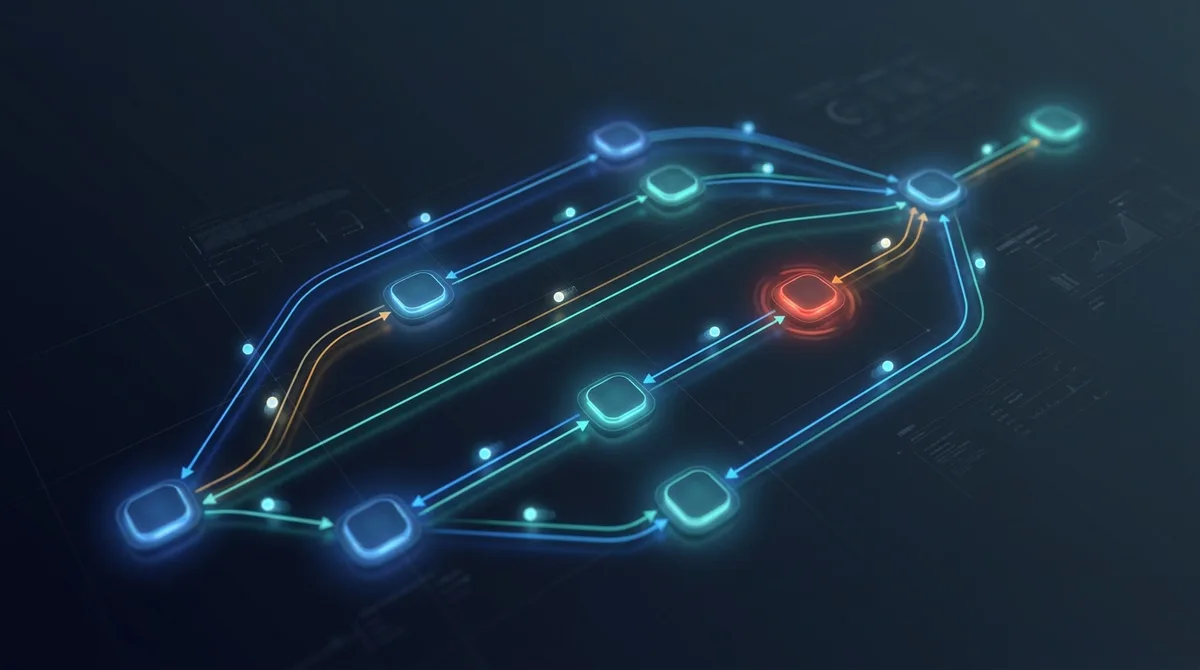
I've learned one useful thing about AI agent graphs, and it is the bit that gets lost when the internet turns them into a new religion.
A graph does not replace a loop. It gives loops somewhere to work.
That sounds like a small distinction, but it changes the practical question. You are not choosing between a simple, old-fashioned loop and a shiny new graph. You're deciding whether the work in front of you is one coherent job, best handled by a single agent that can keep its context, or several independent jobs that need to move through different stages without tripping over one another.
I have been setting up a graph for a software project while all of this terminology has been doing the rounds. It's useful, but not because a graph is automatically smarter. It's useful because it makes queues, hand-offs, waiting states and human decisions visible. It has also made several awkward engineering problems impossible to ignore.
That's probably the more honest story.
First, separate the loop from the graph
A loop is what one worker does.
An agent gets a task, inspects the code or interface, makes a change, runs a test, reads the result and decides what to do next. If the test fails, it tries again. If it can't proceed safely, it stops or asks for help. That inspect, act, check and retry cycle is a loop.
A graph is the wider map around that worker. It defines the states work can be in and the routes between them. In practical terms, a node is a step, state is the recorded picture of the work so far, and an edge is an allowed route to the next step. One node might prepare a task, another might implement it, a third could review the change and a fourth might run browser tests. An edge decides where the package goes next: on to deployment, back for repair, or to a person when the question isn't technical at all.
This is broadly how graph-based agent frameworks describe the idea: state holds the current picture of the work, nodes do something with it, and edges decide the next step. A node can contain an LLM, ordinary code or a human checkpoint. It doesn't have to be an agent. LangGraph's overview puts it plainly: nodes do the work; edges decide what runs next.
So a useful production setup normally has both layers:
- A loop inside an agent node, where it reasons and retries.
- A graph around the nodes, where work is routed, governed and observed.
Image could not be loaded: /images/articles/agent-graph-production-cost-reality-2026-layers.png
A graph does not replace a loop, it arranges loops. The magnified node shows an iteration cycle inside a graph node, with the wider system supplying state, tools, permissions, routes and human checkpoints.
Schedules fit into this picture too, but they're not the graph itself. A schedule simply wakes a worker at a chosen interval. An event-driven system might wake it when a task arrives instead. Either way, the graph is the logic that says what that worker is allowed to pick up and where its result goes.
Why put loops in a graph at all?
The upside isn't that every task becomes quicker. A graph can make an individual task slower because it adds a queue, a hand-off and an extra check. What it can do is let unrelated tasks make progress at the same time.
That matters when the work naturally separates. A research question can be divided into several lines of enquiry. A testing system can investigate independent screens. A backlog of small defects can be prepared, implemented, reviewed and verified in parallel, provided each change has an isolated place to happen.
There are a few other benefits that tend to come with that structure.
Specialists can have small, clear jobs. One worker can be good at visual testing, another at implementation, another at checking a diff. The prompt, tools and permissions can match the stage instead of asking one enormous agent to do everything.
Model choice can follow the decision. A graph can route routine classification and extraction to a faster, lower-cost model, while genuinely mechanical checks stay deterministic: ordinary code or tests that return the same result from the same input in the same environment. It can then reserve a stronger model or a higher reasoning setting, which lets it spend more reasoning effort on ambiguity, for an unclear requirement, an architectural trade-off or a consequential review. That is more than a cost-saving trick. It stops every small, predictable step from consuming the same expensive level of attention as the decisions that genuinely need it. Under subscriptions, the immediate gain may be quota headroom or faster turnaround rather than a lower bill. Low-confidence classifications should be escalated to the stronger route or a person, because a cheap misclassification that creates two rounds of rework is not cheap at all.
Fresh context can be a feature. A reviewer that hasn't spent two hours persuading itself that its own approach is clever can often spot a problem the original implementation agent missed. Cognition has reported good results from generator-reviewer loops, particularly where the reviewer starts with a clean context, but it also warns against letting several agents make competing writes to the same codebase. Their practical account is worth reading.
You can create proper gates. The graph can require a review, a test result or a human sign-off before a package moves on. That doesn't make the result correct by magic, though it's far better than hoping an agent remembers an instruction buried 80 messages ago.
Queues tell you where the real problem is. If work piles up before a review step, adding another implementation agent will not help. If items keep circling through repair, the weakness may be in test coverage, task definitions or tool reliability. A graph gives those bottlenecks a place to show themselves.
Anthropic's research system is a good example of the opportunity and the limit. Its lead agent sends breadth-first research tasks to subagents working in parallel, then combines their findings. On Anthropic's internal research evaluation, that multi-agent approach beat a single agent by 90.2 per cent, but it used roughly 15 times as many tokens as a chat interaction. Anthropic also cautions that highly dependent coding work often isn't a good fit for this pattern. The engineering write-up is unusually frank about both sides.
Why not just give one agent the whole job?
For a bounded piece of work, that is often the sensible answer. One capable agent with a clear brief can understand the problem, make the change, run the checks and report back without the ceremony of a queue, hand-offs and several prompts. It is easier to follow and usually cheaper.
The case for a graph begins when the one session is being asked to carry incompatible responsibilities for a long time. It must turn rough browser evidence into a requirement, choose what the requirement means, change the code, decide whether its own change is good, merge it, deploy it and declare the result accepted. That can work in a demonstration. In production it gives one running context, and often one model, too much authority and too many chances to quietly carry a mistaken assumption forward.
A graph does not make an agent wiser. It makes the boundaries visible. A raw issue becomes a package or a question for a person. An implementation is reviewed by a fresh context. A deployment waits for a check. When something fails, there is a recorded state to inspect and a defined place to send it next. That is the value: not more boxes, but less ambiguity about who was allowed to decide what.
When a loop is the better engineering choice
There's a temptation, once you can draw boxes and arrows, to turn every task into a distributed system. I wouldn't.
Keep the work in one loop when the agent needs a continuous understanding of the problem. A single session can be that loop, and it is not a lesser design. A feature that changes the domain model, API, interface and tests together usually isn't four independent jobs. It's one decision-heavy job with four visible parts. Split it too early and you'll get agents making locally sensible choices that don't add up to a coherent whole.
One loop is usually the better choice when:
- the task is small enough for one agent to hold in context;
- steps share the same files, design decisions or acceptance criteria;
- the agent needs tight feedback from its own previous action;
- the coordination work would outweigh the useful work; or
- you can't describe a safe hand-off between stages.
Here is a concrete example from my own work. A team uses a shared tracker for bugs and small feature requests in an internal portal. Once a day, an agent runs a documented triage-to-fix-to-deploy loop: it ranks a limited set of tickets, makes safe and well-specified changes, verifies them, deploys them and tells the people who raised them what is ready to test. I sometimes check the live portal and find a useful improvement someone else requested has already arrived.
Image could not be loaded: /images/articles/agent-graph-production-cost-reality-2026-daily-loop-summary-public.png
A Webcoda Proposals Portal email shows a requester which of their reported items are live in production and ready for testing.
You could draw it as a graph, as you can with almost any workflow. Operationally, though, it is one bounded loop: a single agent owns the run from triage to summary. The loop earns that simplicity because its boundaries are clear. It has a written runbook, pre-flight checks, a five-ticket cap, verification before deployment, escalation rules for anything unclear or consequential, and an end-of-run summary. It can move an approved, routine request all the way to production without someone manually shepherding each step, but it is not allowed to invent its way past a decision it cannot safely make.
That last test is my favourite. If you can't explain exactly what one worker hands to the next, you probably haven't found a graph boundary. You've found a future incident.
Further reading on loops
If the loop is the right answer for your work, this guide goes deeper into the practical patterns, limits and stopping conditions that make it useful.
The Ralph Wiggum Technique: Ship Code While You Sleep
A developer left Claude Code running for three months. It built a working compiler. Here's the absurdly simple technique that's changing how...
Read full articleThe problems graphs introduce
Graphs make some failures easier to see. They also give you new ways to get things wrong. That's the trade-off people skip in the diagrams.
The graph has to remember what happened. Who owns this item? What has already run? Which result counts? What happens if a worker times out? If those answers are vague, or arrive out of order, workers will duplicate effort, overwrite decisions or leave work stranded. It doesn't take a model failure to create that mess.
Concurrency has its own catch. Two agents changing the same branch, ticket or shared record need more than good intentions. They need isolation and locks that are narrow enough to allow useful parallelism, but strict enough to protect critical transitions. It's ordinary distributed-systems work wearing an AI badge, and it doesn't become easier because the workers can write code.
Then there's reliability. An agent graph has more routes than a single loop: provider failures, expired sessions, empty outputs, a reviewer who never returns a verdict, a deployment that succeeds but can't be verified. The longer it runs, the more likely it is that one of those paths will be taken. You'll need bounded retries, recovery paths and a way for a person to see what's stuck.
Cost is the quieter problem. More agents mean more model calls, more repeated context and more time spent coordinating results. That can be worthwhile for high-value, independent work. It isn't worthwhile when the graph is performing ceremony around a task a capable agent could have completed in ten minutes.
And then you hit the problem no architecture fixes: a graph can move the bottleneck onto a person. Make the machine side faster and eventually the queue contains decisions only a product owner can make. Is this the intended business rule? Which currency should be used? Is this behaviour a defect or an accepted exception? The system can surface the question and route it cleanly. It can't responsibly invent the answer.
Why I use more than one subscription
This is a personal operating choice, not a claim that a useful graph needs four paid plans. I already use Claude Max, ChatGPT Pro, Z.AI Coding Lite and Google AI Pro in my wider work. The graph is designed around tools I already have, rather than being the reason to buy every one of them.
In this setup, I use ChatGPT Pro for much of the delivery graph, Google AI Pro for the separate browser-and-vision testing loop, and Z.AI Coding Lite as another coding route. Claude Max is useful elsewhere in my development work and as an independent perspective when I choose to bring it in. That gives me options when a quota limit, outage or poor result affects one provider. It does not make the system automatically resilient, though. The hand-offs and fallback rules still have to be explicit.
There are real costs to that choice: overlapping plans, several places to manage, and a real risk of paying for redundancy that never earns its keep. For most people, one subscription and one well-designed loop is the right place to start. Add a second provider only when there is a clear job it improves, an independence benefit you actually need, or enough ongoing work to justify the extra cost. Otherwise, the graph has merely found a more elaborate way to spend money.
A note from the graph I am building
My own setup is a development-to-UAT delivery graph with a useful upstream input. A web app had been built quickly and was working, yet it had not been tested with the persistence a real user brings to it. So an independent visual-testing agent keeps exploring the demo app with browser control and vision, trying awkward paths, entering test data and logging the issues it finds.
That agent is a loop. It runs outside the ChatGPT-managed delivery runtime, as a separate visual-testing workflow I run through a Google AI Pro subscription. It inspects the application, takes an action, checks what happened and tries another path. Its output is evidence for the graph: the issue is logged, triaged and either turned into a bounded package or escalated because a person needs to decide what the software should do.
That is the relationship worth keeping straight. The loop has not been replaced by the graph. It is one of the graph's inputs. The browser-and-vision testing loop runs independently from the delivery runtime and feeds evidence into it. That separation means the delivery system is not judging its own visual output.
Nothing is implemented straight from a raw issue. Three short, staggered triage workers first classify the evidence. A package producer turns the safe, well-specified cases into clear, versioned briefs, and a coordinator assigns eligible packages to their own working environment. From there the work passes through independent delivery review, a higher-consequence review where needed, a mechanical gate, serial integration, a non-production deployment and a UAT reconciliation step, where the deployed application is checked as a real user would. It can be repaired, revised or blocked along the way, but it can't silently rewrite failed history to make a dashboard look healthier.
The implementation worker still loops. The graph stops it from also having to turn vague evidence into requirements, review its own work, merge its own branch or decide that deployment and UAT have passed. Those are deliberately separate authorities.
Image could not be loaded: /images/articles/agent-graph-production-cost-reality-2026-system.svg
One example of a practical agent graph. Independent triage can run in parallel, then bounded packages move through implementation, independent review, a mechanical quality gate, serial integration, non-production deployment, external UAT and reconciliation. Repair and escalation paths preserve evidence rather than pretending the work never happened.
One boring limitation made a bigger difference to reliability than any new name for the architecture. My main PC was already carrying normal development work, local services and browser testing. When the longer-running model, build and orchestration jobs joined in, the CPU became the practical limit. Rather than letting automation compete with the work I needed to do, I moved the main system that holds the queue and record of what happened, along with the working environments and worker processes, onto a separate, more reliable graph PC. The main machine receives a one-way, read-only dashboard mirror.
That split didn't make the workflow more graph-like. It simply gave the graph somewhere stable to run and stopped the dashboard becoming mistaken for the control plane. The queue, recorded ownership and evidence are the authority; the dashboard is only a read-only view of them. It's an easy point to miss: an elegant orchestration diagram still depends on the hardware, network, sessions and tools underneath it.
The workers wake on staggered schedules and use overlap protection, but a scheduler tick isn't progress. Progress is a durable state transition backed by evidence. Scheduled workers need the same discipline as event-driven ones: clear ownership rules, observable queues and a safe response when the previous run hasn't finished. A schedule is very good at repeatedly revealing the parts of a system you left vague.
A practical decision guide
| If your situation looks like this | Start here | Why |
|---|---|---|
| One bounded task, one codebase context, one clear owner | A single agent loop | Less coordination and less context loss |
| Several independent research or analysis questions | Parallel graph branches | Separate contexts can explore in parallel, then return a concise result |
| A repeatable delivery flow with checks between stages | A small graph with loops in its worker nodes | Parallelise independent discovery; keep consequential gates serial |
| Several agents editing the same thing | One writer, with read-only or review helpers | Concurrent writes produce conflicting implicit decisions |
| A task blocked by policy, intent or product judgement | A human checkpoint | More agents will not resolve an unanswered business decision |
Start smaller than you think you need. One queue, one worker, one review gate and one clear escalation path will teach you more than a mural of twenty agent roles. Instrument it from the beginning. Record how long items wait, how often they return for repair, which workers fail and which queue keeps growing.
Then split only when the evidence says to. If the queue in front of one stage stays long and the work is genuinely independent, that's a reason to add capacity or create a branch. If the queue exists because nobody knows what the task means, the answer isn't another node. It's a decision.
The point is not the diagram
Graphs are useful because they turn a vague promise, "the agents will work on it", into a system with observable responsibilities. Loops are useful because a capable worker needs room to inspect, act, learn and retry. That's really it.
Most serious agent systems will use both. The useful question isn't whether loop engineering is dead or graph engineering has won. It's where work can safely separate, where it must stay together and where a human needs to remain in the route.
If a graph helps you answer those questions, build the smallest one that does. If it doesn't, keep the loop and spend your engineering time somewhere that changes the outcome.
Key Takeaways
- A loop is an individual worker's inspect-act-check-retry cycle. A graph routes work between workers, states, gates and human checkpoints.
- Graphs help most when tasks are independent, hand-offs are explicit and parallel progress creates real value.
- Loops are usually better for tightly coupled work that needs one continuous context and one coherent set of decisions.
- Graphs add state, locking, reliability, observability and cost problems. Treat them as distributed systems, not prompt diagrams.
- Schedules wake work; they do not solve routing, ownership or recovery.
- A graph can expose the real bottleneck, which may eventually be a human decision rather than compute or model capability.
- In my own setup, the graph PC owns the runtime while the main PC receives a read-only mirror; external browser UAT remains a separate authority. Moving long-running execution off the busy main PC improved reliability, but it did not replace the need for careful graph design.
---
Sources
- Anthropic. "How we built our multi-agent research system." 13/06/2025. https://www.anthropic.com/engineering/multi-age...
- Cognition. "Multi-Agents: What's Actually Working." 22/04/2026. https://cognition.com/blog/multi-agents-working
- LangChain. "Graph API overview." Accessed 02/08/2026. https://docs.langchain.com/oss/javascript/langg...