

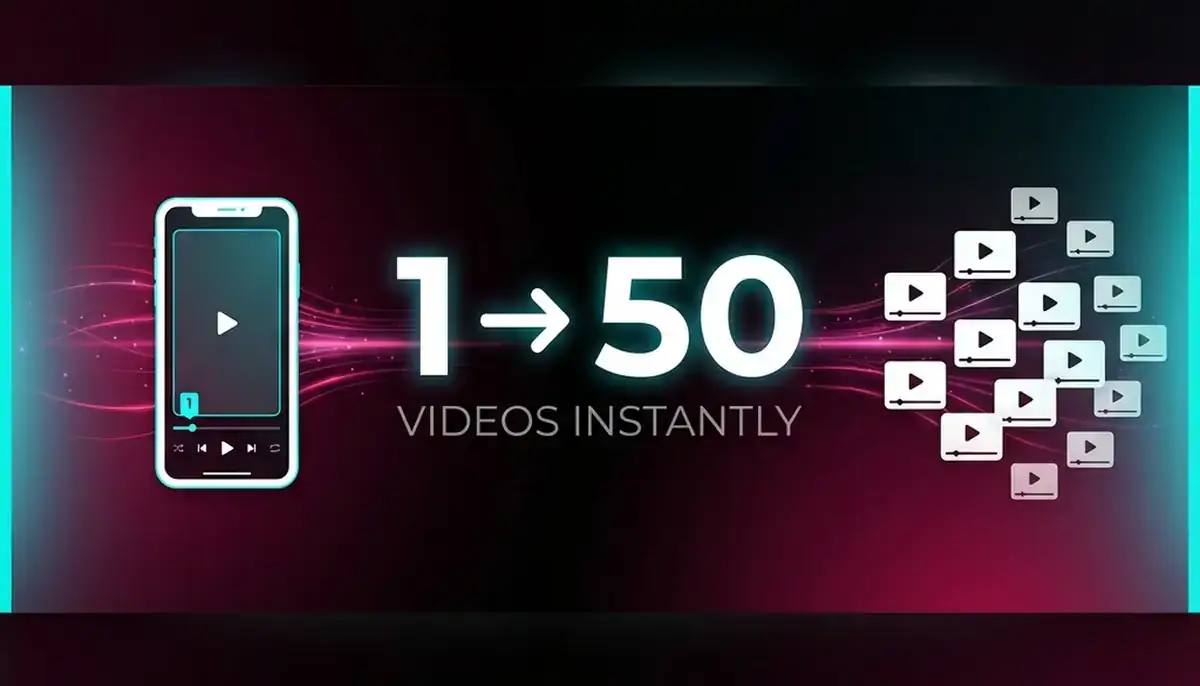
Creating dozens of short videos from a single long recording used to mean hours hunched over editing software. You'd manually scrub through footage, identify the best moments, crop everything for vertical format, add captions, and export each clip individually. It's exhausting.
TikTok just changed that completely. Their new Smart Split feature, launched in October 2025, uses AI to automatically transform a single long video into multiple short clips, complete with captions and vertical reframing. Upload once, get dozens of TikTok-ready videos back.
Australian businesses and creators now have access to this tool globally through TikTok Studio Web. Here's what you need to know about Smart Split and how it'll save your marketing team serious time.
What Smart Split Actually Does
Smart Split lives inside TikTok Studio Web, the platform's desktop editing environment. It's built to solve one specific problem: you've got a 30-minute webinar, podcast episode, or product demo, and you need to turn it into snackable TikTok content without spending your entire week editing.
Here's what happens when you upload a video. The AI analyses your content and automatically identifies engaging segments. It chops your video into multiple clips (you control the length), reframes wide-format footage into vertical 9:16 ratio for mobile viewing, adds captions with multiple formatting options, and transcribes everything automatically.
According to TikTok's official newsroom, creators can upload content between 1 and 60 minutes long (maximum 30GB file size). You select which parts you'd like to convert into shorter clips, and Smart Split handles the technical work from there.
The feature was announced during TikTok's US Creator Summit on 28 October 2025, where over 300 creators gathered to preview the platform's latest tools. Within weeks, it rolled out globally to all TikTok Studio users.
How Australian Businesses Can Use Smart Split
Let's talk practical workflows. You're probably already creating long-form content somewhere. Webinars for lead generation, podcast episodes with industry guests, product demonstrations, company events, or YouTube videos explaining your services. That's your raw material.
Here's where Smart Split becomes valuable. Instead of letting that hour-long webinar live in obscurity on your website, you can now repurpose it into 15 or 20 TikTok clips. Each one highlights a specific insight, tip, or interesting moment. Post them over several weeks and you've got a month of content from a single recording.
Australian marketing teams are already using similar workflows with other platforms. According to Social Peak Media's repurposing guide, breaking down webinars into 30 to 60-second highlights for Instagram Reels, TikTok, and YouTube Shorts helps reach larger audiences with minimal extra effort.
Smart Split makes this process dramatically faster because it's automated. No manual timeline scrubbing. No exporting individual files. The AI identifies engaging moments, crops them correctly, and adds captions. You just review and publish.
Think about customer education videos too. If you've filmed a detailed how-to guide for your product, Smart Split can chop it into step-by-step clips. Each TikTok covers one specific feature or benefit. Suddenly you've got an entire content series from one recording session.
The AI Outline Tool: Your Creative Assistant
Smart Split isn't the only AI tool TikTok launched in October. They also released AI Outline, which works differently but complements Smart Split perfectly. While Smart Split handles video editing, AI Outline helps with ideation and structure before you even start filming.
Here's what it does. You tell AI Outline your video topic or niche. The tool analyses trending content in that category and generates a complete video outline broken into six customisable sections. It suggests titles, hashtags, hooks, and script ideas based on what's performing well right now.
According to Metricool's analysis, the AI Outline tool provides relevant hashtags and a six-part video outline that you can tweak until it feels right. Make the title punchier, adjust the script, reshape the structure. Once you're happy, record the video and upload it to TikTok.
AI Outline is currently available to creators aged 18 and older in the US, Canada, and select markets, with broader rollout coming soon. Australian availability hasn't been confirmed yet, but TikTok's pattern suggests it'll reach international markets within weeks or months.
The combination is powerful. Use AI Outline to plan your content around trending topics and proven formats. Film your video. Then use Smart Split to automatically chop it into multiple clips. It's a complete workflow from idea to published content.
Content Repurposing Workflows That Actually Work
The smartest approach isn't just throwing videos at Smart Split randomly. Build a repeatable system. Here's what experienced content teams are doing in 2025.
Start with one substantial piece of content each week. A podcast episode, webinar, client interview, or educational workshop. According to Planable's repurposing guide, the best strategy is creating original content intentionally designed with repurposing in mind from the beginning.
When you're planning that webinar or podcast, think in segments. Cover distinct topics or questions that could stand alone as individual clips. This makes Smart Split's job easier and produces better results. A 40-minute podcast with clear topic breaks will split more cleanly than a rambling conversation.
After recording, upload your video to Smart Split. Let the AI generate clips, then review them. You're looking for moments that deliver value quickly. Remember, TikTok rewards watch time and completion rate. A clip where someone gets the payoff in 30 seconds performs better than one where the value comes at the end.
Add those clips to your content calendar. Space them out over weeks. According to Repurpose.io's workflow guide, once your workflows are set up properly, distribution becomes automatic. Your content gets pulled from the source and published to selected destinations, resized and ready to go.
Don't forget cross-platform distribution. Smart Split creates vertical video perfect for TikTok, but those same clips work brilliantly on Instagram Reels, YouTube Shorts, and LinkedIn video. You've done the hard work once. Multiply the return by posting everywhere your audience hangs out.
Time Savings: Manual Editing vs Smart Split
Let's talk numbers. Creating traditional TikTok content from long-form video is incredibly time-consuming. You watch the full video to identify good moments, note timestamps, import to editing software, cut each clip manually, export files, crop and reframe for vertical format, add captions (typing or auto-generate then review), and export again. Multiply by 15 or 20 clips.
Research from Argil's automation analysis found it takes approximately seven hours to create a one to five-minute YouTube video, not counting equipment costs. That's for polished content, but even basic clip extraction takes serious time.
Smart Split compresses this dramatically. Upload your video (maybe 5 minutes depending on file size), select the segments you want or let AI choose (2 minutes), review generated clips and approve (10 to 15 minutes), make any small adjustments if needed (optional 5 to 10 minutes). Total time: roughly 20 to 30 minutes for 15+ clips.
That's not an exaggeration. According to Spikes Studio's research, AI tools that automatically find standout moments, smooth transitions, and add captions save creators hours on edits. Recent data shows engagement rates can increase by up to 25% when creators use AI-driven editing features.
For Australian businesses running lean marketing teams, this time savings matters enormously. Your social media manager can spend those saved hours on strategy, community management, or creating more original content instead of drowning in editing tasks.
One important note from MeetEdgar's automation guide: over-automation can lead to losing credibility and authenticity. Smart Split handles the technical work, but you still need human judgement to select clips that represent your brand well and deliver genuine value to your audience.
Getting Started with Smart Split in Australia
Good news for Australian creators and businesses: Smart Split is available globally right now through TikTok Studio Web. There's no waitlist, no special access required. If you've got a TikTok account, you can use it today.
Here's how to get started. Go to TikTok Studio and log in with your TikTok credentials. Find the Smart Split tool in the editing menu. Upload a video between 1 and 60 minutes long (under 30GB file size). This works with any video format, but MP4 or MOV files work best.
Once uploaded, Smart Split analyses your video. This takes a minute or two depending on length. Then you'll see options. You can let the AI automatically select clip length, or choose specific durations yourself (15, 30, or 60 seconds are popular). Select caption formatting from the available options. Preview the generated clips and make adjustments if needed.
When you're happy with the results, save the clips. They're automatically added to your TikTok Studio drafts, ready to schedule or publish immediately. You can also download them to use on other platforms.
Start with something low-stakes to test the tool. Don't use your most important webinar for your first attempt. Try a podcast episode, a behind-the-scenes video, or a casual Q&A session. Get comfortable with how Smart Split identifies segments and how the captions look. Once you understand the tool's strengths and quirks, you'll use it more effectively for high-value content.
According to Livestorm's repurposing guide, building an effective workflow means creating a repeatable process. Every time you publish a podcast episode, transcribe it immediately so you can turn it into additional formats. Every webinar goes through Smart Split to create social clips. Make it systematic, not occasional.
Optimising Your Smart Split Content for TikTok
Smart Split generates the clips, but you still need to optimise them for TikTok's algorithm. The platform prioritises watch time, engagement, and completion rate above everything else. Here's how to make sure your repurposed content actually performs.
First, check your hooks. The opening three seconds determine whether someone keeps watching. Smart Split might start a clip mid-sentence or without context. Add a text overlay or quick intro if needed. Even better, use TikTok's built-in editing tools to add an attention-grabbing opening frame before the clip plays.
Hashtag strategy matters too. According to Social Peak Media's research, TikTok allows up to 33 hashtags, but 3 to 8 strategic ones perform better. Use one or two broad, high-volume hashtags (like #smallbusiness or #marketingtips), two to five niche hashtags specific to your content, and one to three branded or community hashtags.
Captions should add value, not just describe what's happening in the video. Use them to tease the insight, ask a question, or call out your target audience. Remember you're competing for attention against millions of videos. Give people a reason to stop scrolling.
Post consistently but strategically. Don't dump all 20 clips from your webinar in one day. According to Create and Grow's platform guide, spacing content out over weeks maintains consistent presence without overwhelming your audience. Use TikTok Studio's scheduling feature to queue clips at optimal posting times.
Monitor performance closely. TikTok analytics will show you which clips resonate most. Maybe clips under 20 seconds outperform longer ones. Maybe how-to content drives more engagement than thought leadership. Use that data to guide which segments you select from future long-form content.
The Future of AI-Powered Content Creation
Smart Split represents a significant shift in how platforms think about content creation. For years, social media companies expected creators to master complex editing software and dedicate hours to production. Now they're building automation directly into their platforms.
This democratises content creation. Small businesses without video editing budgets can now compete with larger companies. A sole trader in Melbourne can repurpose a client consultation into a week's worth of TikTok content. A Sydney-based startup can turn their product demo into an ongoing content series. The barrier to consistent social media presence just dropped dramatically.
But there's a balance here. Predis.ai's analysis notes that whilst automation tools save time, the best strategy is offering new value, not just repackaging older content. Smart Split handles technical work, but you still need to think strategically about what you're creating and why it matters to your audience.
Looking ahead, expect more AI features from TikTok and competing platforms. Instagram's already experimenting with similar tools. YouTube's testing automated clip generation for Shorts. The platform that makes repurposing easiest will attract the most creators, which attracts the most users, which drives more value for businesses.
For Australian businesses, this is genuinely useful technology. You're probably already creating valuable long-form content for other purposes. Smart Split means that content can work harder across multiple channels without multiplying your workload. That's not hype, it's practical efficiency.
Making Smart Split Part of Your Content Strategy
The real question isn't whether Smart Split works (it does), but whether it fits your content strategy. Here's how to think about integration.
Start by auditing your existing content production. What long-form content are you already creating? Webinars, podcasts, YouTube videos, product demos, training sessions, event recordings, customer testimonials, or behind-the-scenes footage. That's your Smart Split inventory.
Next, identify which content deserves repurposing. Not everything needs to become 20 TikToks. Focus on evergreen content that delivers value regardless of when someone watches it. How-to guides, expert insights, common customer questions, and product education all work brilliantly. Time-sensitive announcements or highly contextual content work less well.
Build Smart Split into your production workflow. According to PlayPlay's repurposing guide, video repurposing should be part of your content creation process from the beginning. When planning that webinar, think about how it'll split into TikTok clips. Structure your content with clear segments and strong individual moments.
Assign someone to manage the process. Whether it's your social media manager, marketing coordinator, or you personally, make sure one person owns the repurposing workflow. They upload to Smart Split, review clips, schedule posts, and monitor performance. Without clear ownership, it won't happen consistently.
Track your results properly. Monitor which repurposed clips drive the most engagement, views, and profile visits. Compare performance of original TikTok content versus Smart Split clips. You might find that certain types of long-form content repurpose better than others. Use that insight to shape future production.
Most importantly, maintain quality standards. Smart Split makes it easy to generate dozens of clips, but quantity without quality damages your brand. Review every clip before publishing. Make sure it delivers value, represents your brand well, and meets your content standards. Automation should amplify your quality, not replace your judgement.
Final Thoughts: Time Savings That Actually Matter
TikTok Smart Split won't revolutionise your entire business, but it solves a genuine pain point efficiently. If you're creating long-form content and struggling to maintain consistent social media presence, this tool saves real time whilst maintaining quality.
Australian businesses and creators have immediate access through TikTok Studio Web. There's no complicated setup, no additional costs beyond your existing TikTok account. Upload a video, let the AI do its work, review the results, and publish.
The time savings compound quickly. Twenty hours saved per month means time for deeper strategy work, better community engagement, or simply maintaining work-life balance. That's the practical benefit of well-designed automation.
Start small, test the tool with lower-stakes content, and build it into your workflow once you're comfortable. Combine it with thoughtful hashtag strategy, strong hooks, and consistent posting schedules. Smart Split handles the technical work. You focus on creating content worth repurposing in the first place.
That's where the real leverage lives, turning one valuable piece of content into dozens of distribution opportunities without multiplying your workload. For Australian marketers and business owners juggling multiple priorities, that efficiency matters.
---
Sources
- TikTok Newsroom: New AI-powered tools to make it easier to create and share on TikTok
- Social Media Today: TikTok Adds AI Assistance Tools for Creators
- Inc: TikTok's New AI Tools Will Make It Easier for Creators to Produce Viral Content
- 9to5Mac: TikTok U.S. Creator Summit: Three new features announced today
- Metricool: TikTok's New AI Tools Are Here to Save Creators Hours of Work
- Archyde: TikTok introduces Smart Split, an AI feature designed to help content creators shorten long videos
- Social Peak Media: Repurposing Content for Multi-Platform Success: An In-Depth Guide for 2025
- Livestorm: 14 Ways to Repurpose Content to Increase Reach
- Planable: The mega guide to repurposing content & how to build it into your workflow
- Repurpose.io: The easiest way to Repurpose your content on social media
- Predis.ai: Check Out The Top AI Video Repurposing Tools for 2025
- InBeat: Content Repurposing Strategies: Turn One Post into 10+ Assets
- Create & Grow: 10 Best Tools for Repurposing Content Across Platforms in 2025
- PlayPlay: 7 Ways to Repurpose Your Video Content in 2025
- Argil: TikTok Automation in 2025: Scale Content Creation with Argil's AI Video Generator
- MeetEdgar: TikTok Automation for Beginners: Simple Steps to Automate Your Content
- Spikes Studio: Ai clip generator for YouTube Twitch TikTok & Reels
- TikTok Studio: Smart Split Tool